Color Pop - Fun Coloring Games
- 4.5
- Rating
- 10.00M
- Installs
- Free
- Price

 Analysis by App-foxy
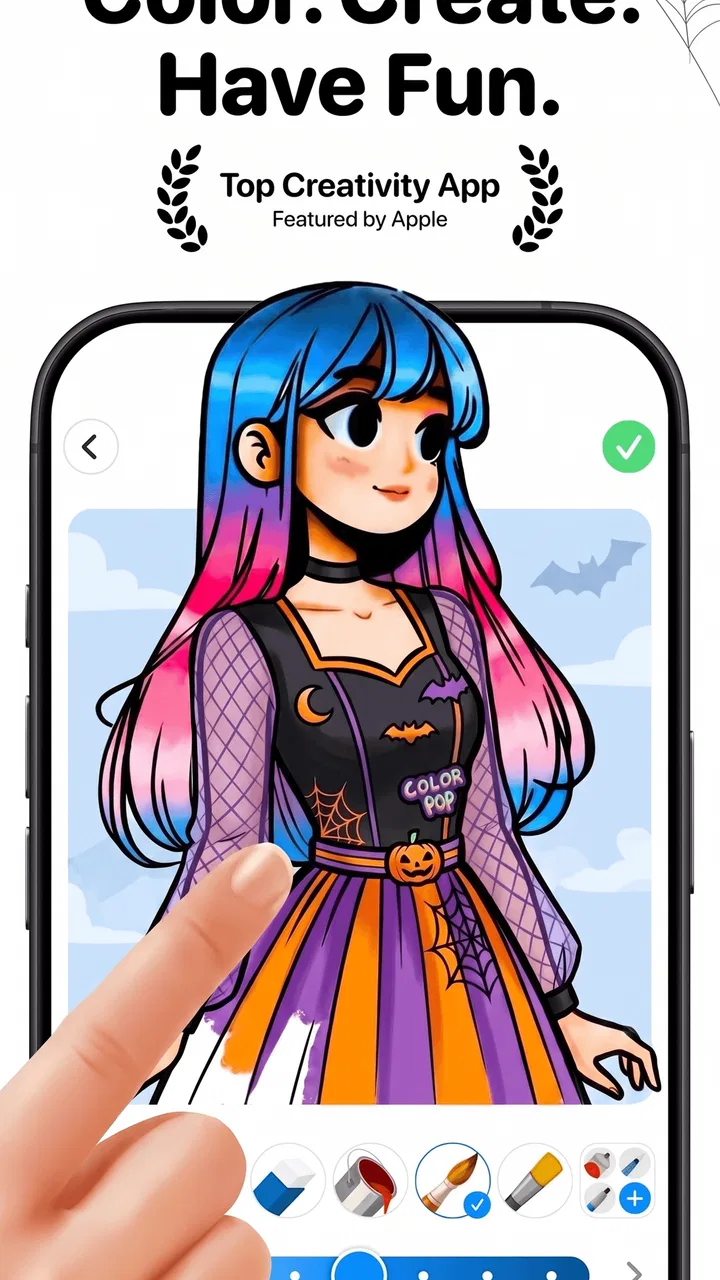
I like coloring apps that understand the difference between filling empty spaces and actually helping me relax. Color Pop - Fun Coloring Games takes a focused approach: it combines a large collection of drawings with color choices and visual effects, then adds AI to help turn the experience into something closer to a personal digital coloring book. After spending time with it, I found its main appeal is not artistic complexity. It is the way the app lowers the effort needed to begin, especially when I want a quiet activity rather than a demanding creative project.
This is an entertainment app from MWM - AI Music and Creative Apps, available for free with optional in-app purchases ranging from $0.99 to $99.99 per item. It is rated for Everyone, so the basic concept is approachable for children, adults, and older users, although younger users may still need an adult to manage purchases. The app has reached over 10 million installs and holds a 4.5 average from around 184,000 ratings, which fits my impression: it is easy to understand quickly, but it has enough variety to remain useful beyond a single short session.
How the AI coloring idea changes the experience
The AI element changes what I look for when choosing a page: instead of expecting a fixed gallery to match every mood, I can treat the app as a source of fresh starting points. In this section, I’ll focus on how that shifts the balance between browsing and coloring, and why a little structure helps keep novelty from taking over the relaxing part.
You May Also Like

 Blood Strike: 2.5 Anniversary
Blood Strike’s Loadouts Turn Every Drop Into a Tactical Gamble
A close look at Blood Strike’s custom loadouts: how fast access to signature weapons reshapes its battle royale rhythm, rewards preparation, and narrows the gap between fights.

 Pandora - Music & Podcasts
Pandora’s Music Is Easy to Start, but Harder to Recover
Pandora’s strength is its low-effort path from a seed to a station. Its weak spot is how much confidence it asks you to place in connection, setup, and quiet recovery.

 8 Ball Pool
 Is Built on Rivalries, Rematches, and Routine
A close look at the rivalries, rematches, shared routines, and unanswered safety questions that turn a quick pool match into a persistent mobile community.

 Samsung Music
’s Quiet Strength Is Playing What You Already Own
Its reach comes less from spectacle than from dependable access to a personal library. That simplicity is both the app’s strongest retention engine and its ceiling.

 AccuWeather: Weather Radar
AccuWeather Review: A Quick, Clear Forecast for Everyday Decisions
For everyday plans, the best forecast is the one you can understand quickly. AccuWeather makes rain timing, radar, and local conditions easy to act on, with a few trade-offs.

 Hill Climb Racing
Why Hill Climb Racing Still Turns Crashes Into One More Run
A tiny car, a bumpy hill and one more upgrade: Hill Climb Racing keeps resurfacing because its simple chaos makes every near-miss feel personal.
More From Our News Desk



The useful part is reducing the blank-page problem
The strongest capability here is the combination of AI-assisted creation and ready-to-color artwork. Traditional coloring apps usually ask me to choose from a fixed gallery and work within the boundaries of each picture. That can be perfectly enjoyable, but it also means the experience depends heavily on whether the available pages match my mood. Color Pop makes the idea of a personal coloring book more central, so the app feels less like a static collection and more like a place to keep generating or exploring visual starting points.
That matters because deciding what to color can be more tiring than coloring itself. When I open the app during a short break, I do not necessarily want to search through endless categories or plan a finished illustration. I want to see something inviting, choose a palette, and start. The AI angle helps with that sense of immediacy. It is not a replacement for an illustrator’s control, but it can make the first step feel lighter.
The library also gives the app a practical safety net. The store summary describes more than 800 drawings, colors, and effects, so I am not depending entirely on generated material to find something worthwhile. That balance is important. AI can be interesting when I want novelty, while a prepared drawing is better when I want predictable lines and a calm, familiar task. Having both directions in one app makes the experience more flexible than a coloring tool built around only one source of artwork.
Effects are enjoyable when used as finishing touches
The visual effects are most useful when I treat them as a final layer rather than the main event. A coloring page can feel flat while I am working on it, then become more satisfying when a subtle effect gives the finished image a little extra character. I prefer using effects after the main colors are in place because they help me judge the overall mood instead of distracting me from the simple pleasure of filling the illustration.
This is also where the app separates itself from a very basic paint-bucket utility. A plain coloring tool is often concerned with whether a region is filled correctly. Color Pop is more about the complete visual result: selecting colors, experimenting with combinations, and making the final page feel personal. That is a small distinction, but it changes how I use the app. I am not only completing spaces; I am adjusting the tone of the image.
My advice is to begin with a limited palette instead of touching every color immediately. Pick two or three main colors, complete the large areas, and then add a contrasting shade for details. This makes the result look more intentional and prevents the page from becoming visually noisy. After that, an effect can be used to emphasize the style rather than cover up a color scheme that never had a clear direction.
It works best as a low-pressure creative tool
I would not approach this as a serious drawing studio. The app is better at making creativity accessible than at teaching drawing technique. There is no need to worry about steady hand control, expensive supplies, or cleaning up a desk afterward. That makes it suitable for someone who enjoys the idea of coloring but does not consider themselves artistic.
For me, the most noticeable benefit is the low commitment. I can spend a few minutes on a page, stop, and return later without needing to prepare anything. That makes it easy to fit into a commute, a waiting room, or the quiet part of an evening. The app does not demand the same concentration as a drawing editor, and that is exactly why it can work as entertainment rather than homework.
Using it in an ordinary day
Coloring fits into an ordinary day best when I give it a small, clear purpose rather than expecting a long creative session. I’ll look at how the app can work around brief breaks and shared-device use, with a practical approach to choosing a page, managing purchases, and stopping before screen time starts to feel like another obligation.
A realistic evening routine
Imagine coming home after a busy day and wanting to put the phone to better use than endlessly scrolling. I would open Color Pop, choose a drawing that looks manageable, and spend the first few minutes selecting a palette. Instead of trying to finish the entire image, I would focus on one section and use the color choices to establish a mood. If the page starts to feel repetitive, I would try an effect near the end, then save the result mentally as a small finished activity rather than another task waiting to be completed.
That approach works because the app gives me a clear beginning, middle, and end. The beginning is choosing a page or creative direction. The middle is the repetitive, relaxing work of coloring. The end is seeing how the colors and effects change the finished picture. Many digital activities feel endless, but a single coloring page can provide a natural stopping point. I find that useful when I want entertainment that does not keep pushing me toward the next item.
Why it can suit shared use
The Everyone age rating makes the app approachable for family use, and the simple premise is easy to explain without a tutorial-heavy introduction. A parent and child could choose different pictures and compare color decisions, while adults can use the same collection for a quieter solo activity. The appeal changes with the user: younger people may enjoy the bright visual result, while adults may appreciate the repetitive focus and the lack of pressure to produce a technically impressive drawing.
I would still keep purchase controls in mind when sharing the device. The app is free to start, but optional purchases can cost from $0.99 to $99.99 per item, so I would not hand it to a child without checking how purchases are handled on the device. That is not a criticism of the coloring itself; it is simply an important practical step whenever a free creative app includes paid additions.
A better workflow for short sessions
One of the easiest ways to make the app feel less overwhelming is to divide the session into stages. First, choose the drawing without immediately judging whether it is the best one. Next, set a basic palette and complete the largest areas. Then pause and look at the balance of light and dark colors before handling small details. Only after that should you experiment with effects. This order keeps the creative decisions manageable and gives the AI and effect-based elements a supporting role instead of letting them dictate the whole result.
Another useful habit is to keep unfinished pages rather than abandoning them because the first colors look wrong. Digital coloring makes it easy to revise the direction, and an awkward early choice can sometimes become an interesting contrast once the surrounding areas are filled. I found that this mindset is more productive than repeatedly searching for a perfect picture. The app is at its best when I treat each page as an experiment, not as a test of taste.
What the app feels like compared with paper
Paper coloring books still win when I want the physical sensation of pencils, markers, or the visible progress of a page on a desk. They also avoid screen fatigue and do not tempt me to jump into another app. Color Pop wins on convenience. It gives me a portable collection, quick experimentation, and effects that would require extra materials in the physical world.
Compared with a full drawing app, it is much less intimidating. A drawing editor offers more control, but that control can become a barrier when I only want to relax. I do not have to think about layers, brushes, canvas size, or technical setup here. On the other hand, someone who wants to sketch from an empty canvas, refine line work, or build a professional illustration will probably find a dedicated drawing app more suitable.
Against a basic coloring app with a fixed gallery, the AI-focused approach offers more room for novelty, while the large prepared collection keeps the experience grounded. The trade-off is that generated or AI-influenced creativity may not always give me exactly the composition I imagined. If precise control matters more than discovery, a conventional coloring tool with carefully organized pages may feel more dependable.
Where the trade-offs become noticeable
The trade-offs are easiest to judge once I know what kind of creative control I want and how much choice feels enjoyable. Here I’ll consider where optional purchases, AI-led discovery, and a screen-based format can interrupt the experience, so it is clearer when a simpler coloring book or a more capable drawing tool would suit me better.
Free access does not mean every part feels equally open
The free entry point is helpful because I can understand the core experience before deciding whether it deserves more of my time. However, the presence of optional purchases means I would pay attention to how much of the collection, colors, or effects is available without spending. The purchase range is broad, and the upper end is significant enough that I would make any decision slowly rather than tapping through out of curiosity.
My recommendation is to use the free experience as a trial period. Try several kinds of drawings, test whether the available colors are enough for your style, and see whether the AI element genuinely adds value to your sessions. If I were considering a purchase, I would first ask whether it solves a recurring limitation or merely adds another novelty. A coloring app should remain relaxing; feeling pressured to unlock everything would undermine its main purpose.
Novelty can compete with concentration
AI-generated or AI-assisted creativity is attractive because it promises variety, but variety is not always what I need. Too many choices can turn a calming activity into browsing. If I spend more time looking for the ideal image than actually coloring, I have allowed the discovery side of the app to take over. This is why I prefer setting a simple rule: choose one page within a few minutes, then work with it instead of continuing to search.
There is also a difference between visual surprise and artistic control. The AI direction can encourage me to try combinations I would not have chosen, which is enjoyable when I am open to experimentation. It is less satisfying when I have a very specific image in mind and want every shape to follow my plan. In that situation, a more conventional coloring library or a drawing app with manual tools would be the better choice.
It is not the right fit for every kind of relaxation
If screens make you feel more tired, this app will not replace a paper coloring book. If your goal is meditation with almost no decision-making, the need to select colors and effects may be more stimulation than comfort. And if you are looking for a competitive game, progression system, or social challenge, this entertainment app is aimed at a different kind of satisfaction.
I would also skip it if I wanted advanced creative control. The appeal is guided expression, not detailed production. Someone who already enjoys digital painting may find the experience restrictive, while a beginner may find that limitation reassuring. The right choice depends on whether you want the app to remove technical obstacles or give you more technical possibilities.
Who gets the most from Color Pop
The best match is someone who wants a welcoming route into coloring, not a professional art workspace or a screen-free pastime. I’ll narrow down which habits and expectations make the app rewarding, and what I would check before installing it on a shared device or choosing it as my regular way to unwind.
Best for beginners and casual creators
The strongest audience is anyone who wants to color without first learning a complicated tool. Beginners can start with the prepared drawings, while more curious users can explore the AI side when they want something less predictable. The app is also a good match for people who like visual hobbies but have limited storage space for physical supplies or limited time for a longer project.
I can especially recommend it to users who often say they are not creative. That phrase usually means they do not want a blank canvas and a long list of tools. Color Pop gives them a starting point and lets them make meaningful choices without demanding professional technique. The result may not be perfect, but the process is accessible, and that is more valuable for casual use than a huge toolbox.
Useful for adults seeking a short reset
Adults may get more from the app than its playful presentation suggests. Repeating small coloring actions can provide a break between demanding activities, particularly when I set a modest goal such as completing one section rather than an entire page. It is not a cure for stress, and I would not treat it as a substitute for proper rest, but it can be a pleasant way to interrupt a cycle of scrolling or work-related thinking.
The best results come when I remove the pressure to create something worth sharing. I choose colors because I like them, not because they are technically correct. I stop when the session stops feeling restorative. That personal rule keeps the app in the entertainment category where it belongs and prevents the creative activity from becoming another performance.
The technical details that matter before installing
Color Pop is free, carries an Everyone content rating, and requires Android 7.0 or later. Its current version is 1.93.01, so Android users with older software should check compatibility before planning to use it. Those details are more relevant than they may first appear: the app is designed for broad accessibility, but the actual experience still depends on whether the device can run it comfortably and whether the user is happy with a free app that offers paid items.
The developer, MWM - AI Music and Creative Apps, has positioned this title within entertainment rather than as a professional art product. That framing matches my experience. I would install it for casual coloring, visual experimentation, and short creative breaks. I would not install it expecting a full illustration workspace, a structured art course, or the tactile pleasure of traditional materials.
My recommendation after using it
Color Pop - Fun Coloring Games succeeds because it makes the act of beginning unusually easy. The combination of a substantial drawing collection, color choices, effects, and AI-assisted creativity gives me more than a static page picker, while still keeping the activity simple enough for a few quiet minutes. Its best feature is not that it tries to do everything; it is that it gives casual users several ways to get past the blank-page problem.
I would recommend trying the free version if you want a low-pressure creative pastime and enjoy discovering unexpected visual ideas. Use a limited palette, treat effects as finishing tools, and judge the app by how often it helps you relax rather than by how many options it offers. If you need precise drawing control, dislike in-app purchase models, or prefer screen-free hobbies, another option will serve you better. For everyone else, this is a friendly, accessible coloring app with enough variety to make short sessions feel worthwhile.
FAQs for Color Pop - Fun Coloring Games
01What features does Color Pop - Fun Coloring Games offer?
Color Pop offers a wide range of features, including hundreds of intricate coloring pages, themed collections, and special effects like gradients and textures. Users can also enjoy a calming background music option and share their creations on social media directly from the app. The app is designed to provide a relaxing and creative experience for all ages.
02Is Color Pop suitable for children, and does it offer parental controls?
Color Pop is designed to be family-friendly, making it suitable for children. It includes a variety of easy-to-color pages for younger users. While there are no specific parental controls, the app does not contain inappropriate content and offers a safe environment for kids to explore their creativity.
03Are there any in-app purchases or ads in Color Pop?
Color Pop is free to download, but it does include optional in-app purchases for additional coloring packs and features. Users can also opt for a premium subscription to remove ads and unlock exclusive content. The app occasionally displays ads, but they are not overly intrusive and do not disrupt the coloring experience.
04Can I use Color Pop offline, or is an internet connection required?
An internet connection is required for the initial download and for accessing certain features like sharing on social media or downloading new coloring pages. However, once images are downloaded, users can enjoy coloring offline without any issues. This makes it a great option for travel or times when Wi-Fi is unavailable.
05How does Color Pop ensure user privacy and data security?
Color Pop is committed to user privacy and data protection. The app collects minimal personal data, primarily for account creation and app functionality. It adheres to industry-standard security protocols to protect user information. Users can review the privacy policy within the app to understand how their data is used and stored.
Pros
- Wide variety of coloring pages.
- User-friendly interface for all ages.
- Offline mode available for travel.
- Regular updates with new designs.
- Encourages creativity and relaxation.
Cons
- Limited free content access.
- In-app ads can be intrusive.
- Some designs require purchases.
- No option to create custom designs.
- Occasional app crashes reported.

Color Pop - Fun Coloring Games
Gallery